Fastlane connects your AI agents to Microsoft 365, Teams, SharePoint, Outlook, D365 F&O, CRM and more through a secure, governed intelligence layer.
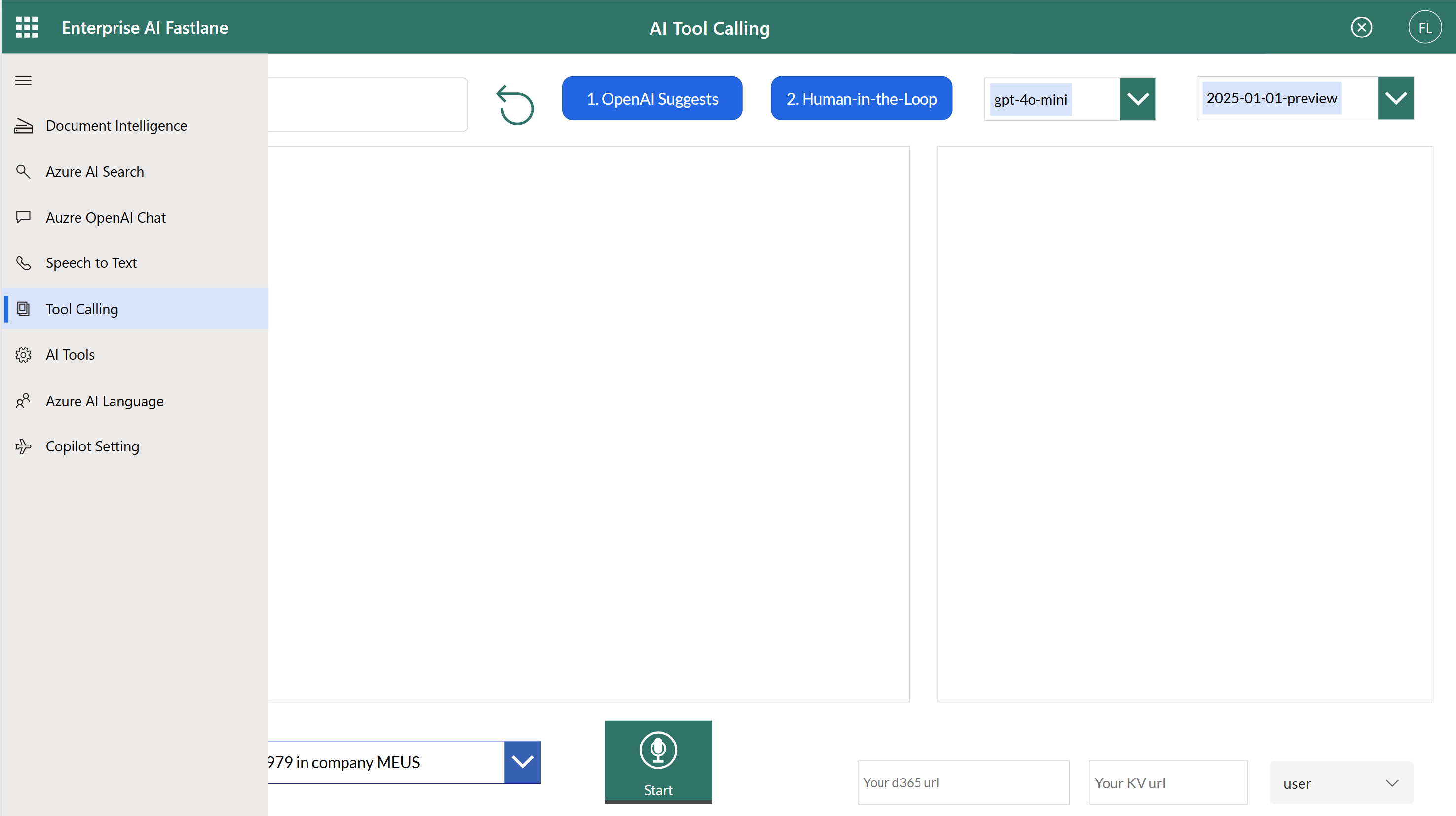
The Challenge
Most companies are experimenting with AI. But building enterprise-ready Copilots requires stitching together dozens of Microsoft APIs and services.
Teams must manage integrations across:
This creates:
The result: teams build AI features, but struggle to build AI platforms.
The Intelligence Layer for the Microsoft Ecosystem
Fastlane enables enterprise-grade AI and Copilot experiences by exposing governed business services through a unified API layer. Instead of giving AI access to raw ERP data, Fastlane provides:
This transforms D365 F&O from a system of record into a governed system of intelligence, without touching the core ERP.
What You Can Build With Fastlane
Create assistants that can read, write, search, and automate across Microsoft tools.
Trigger workflows across Teams, Outlook, SharePoint, and enterprise systems.
Embed intelligent capabilities directly into internal apps.
Give your organization a secure foundation for deploying Copilots at scale.
Platform Capabilities
Access Microsoft services through a single developer-friendly interface.
Use Azure OpenAI today. Switch models tomorrow without rebuilding your platform.
Allow AI agents to perform real actions across enterprise systems.
Enforce permissions, compliance, logging, and security across all AI activity.
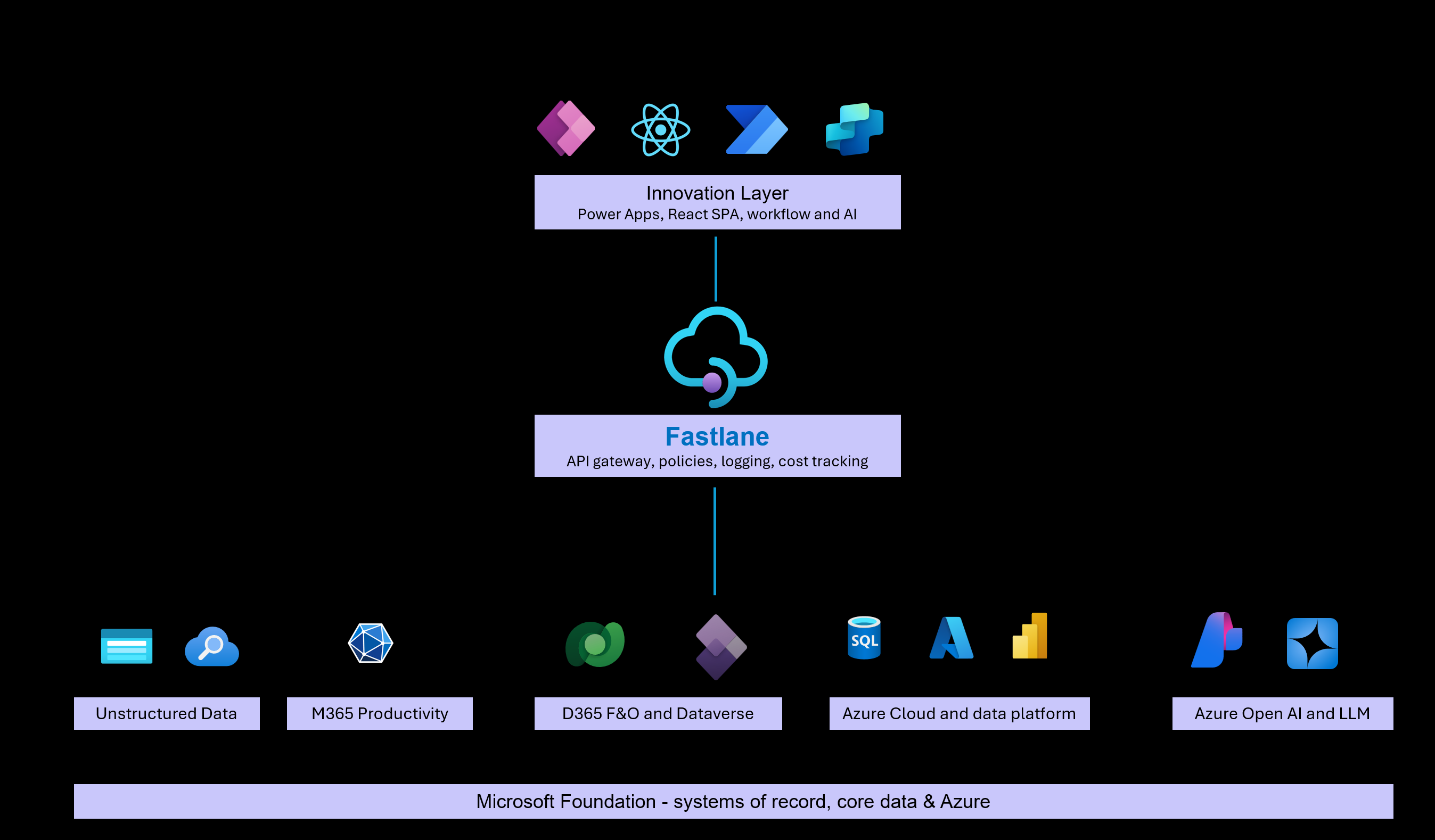
Enterprise AI Architecture with Fastlane
D365 F&O remains the system of record.
Fastlane sits on top as a unified API and business service layer, exposing governed actions instead of raw data.
AI agents, Copilot extensions, Power Apps, and Power Automate authenticate using Microsoft Entra ID and invoke Fastlane APIs. Fastlane enforces security, policy, throttling, and audit before executing actions in D365 or other connected systems.
AI agents may use MCP for discovery and invocation, but they always execute business logic through Fastlane.
This separation is what makes AI safe to scale.
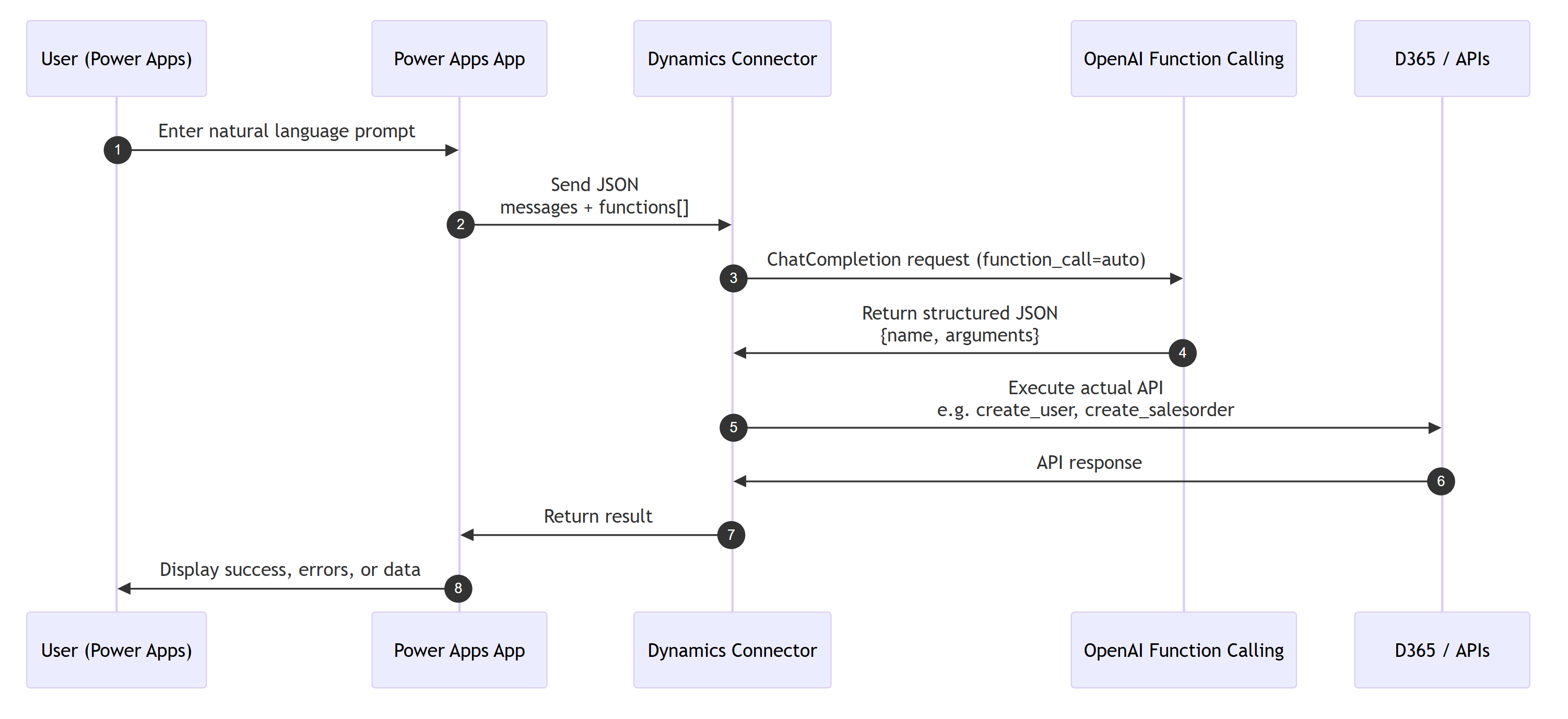
Stop building AI features. Build your AI platform.
MCP vs Tool Calling: A Practical Comparison
MCP gets a lot of buzz lately thanks to the marketing hype and can offer advantages in some cases. But in most scenarios, Tool calling is more flexible, scalable, and easier to manage. Let's break it down.
1️⃣ Setup & Hosting
| Aspect | MCP | Tool Calling |
|---|---|---|
| Hosting | Requires deploying an MCP server or using first-party MCP | Only needs APIM + Azure Function (serverless) |
| Setup Complexity | High - MCP is a new platform that requires backend deployment, configuration, and maintenance | Low - Uses standard API calls familiar to developers |
| Frontend Integration | Usually more complex due to server endpoints | Easy - front end (Power Apps or React) can call backend with JSON payload |
2️⃣ Flexibility
| Aspect | MCP | Tool Calling |
|---|---|---|
| Adding new actions | Requires backend code/deployment | Easily add new functions dynamically via Frontend |
| Multi-function sequence | Hard-coded or requires backend updates | Fully controlled by frontend |
| Parameter changes | Backend must be updated | Front end can pass different parameters at runtime |
| First-party MCP | Black box logic with limited visibility, cannot customize | Full control and customization |
3️⃣ Security & Control
| Aspect | MCP | Tool Calling |
|---|---|---|
| API access control | MCP may expose actions; backend must secure | Backend controls all API calls; OpenAI only suggests JSON |
| Validation | Validation is restricted to MCP server rules | Backend validates structured JSON before execution |
| User permission isolation | Harder to enforce | Backend enforces per-user access control easily |
4️⃣ Maintainability
| Aspect | MCP | Tool Calling |
|---|---|---|
| Updating actions | Requires redeployment | JSON functions updated without backend changes |
| Adding new systems | Complex | Just add new function in JSON |
| Debugging | MCP logs are centralized but less granular | Tool calling provides more detailed logging for easier debugging |
5️⃣ Cost
| Aspect | MCP | Tool Calling |
|---|---|---|
| Infrastructure | MCP server + maintenance or pay for first-party MCP | Serverless backend, much cheaper |
| Scaling | Needs MCP server scaling | Azure Functions scale automatically |
| Licensing | MCP may require enterprise license | Pay-as-you-go using OpenAI + Azure Functions |
6️⃣ Response Handling & Auditability
| Aspect | MCP | Tool Calling |
|---|---|---|
| Structured responses | Limited | Fully structured JSON (parameters + function name) |
| Audit / logging | MCP logs are available but may be limited | Backend can log every JSON response and API payload |
| Error handling | Hard-coded | Backend can handle errors per action dynamically |